ERP Integration: How to Connect Your Business Systems and Automate Data Flow
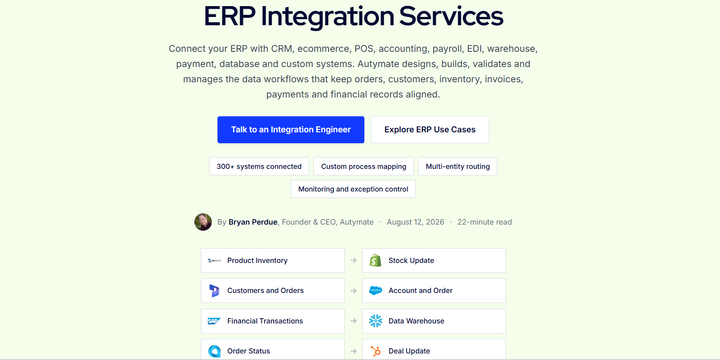
Modern businesses rarely operate from a single application. Sales teams may work in a CRM, ecommerce teams manage orders through an online store, finance teams use accounting software, warehouses track inventory in separate systems, and management relies on reporting platforms to understand performance.
The problem begins when these systems do not communicate properly.
Employees are then forced to export spreadsheets, re-enter transactions, update records manually, and reconcile information across multiple applications. As the business grows, these disconnected processes become slower, more expensive, and more difficult to control.
ERP integration solves this problem by connecting your enterprise resource planning system with the other applications that run your business. Instead of employees repeatedly moving information between systems, approved data can flow through defined, automated workflows.
A well-designed ERP integration does more than simply copy fields. It manages how information is extracted, mapped, transformed, validated, delivered, monitored, and recovered when something goes wrong.
What Is ERP Integration?
ERP integration is the process of connecting an enterprise resource planning system with other software applications, databases, external partners, or reporting platforms.
An ERP may contain financial, inventory, purchasing, order, manufacturing, project, and operational information. However, many of the activities that eventually need to appear in the ERP begin somewhere else.
A sales opportunity may start in a CRM. An order may originate in an ecommerce store. A payment may come through a payment processor. Inventory may be updated by a warehouse system. A supplier may send information through EDI.
ERP integration connects these activities so the right information reaches the right system at the right time.
Common systems connected to ERP platforms include:
- CRM platforms
- Ecommerce systems
- POS systems
- Accounting software
- Payroll and HR applications
- Warehouse and inventory systems
- Payment platforms
- EDI networks
- Databases and custom applications
The goal is to create one connected business process instead of several disconnected applications.
Why Businesses Need ERP Integration
A company may have excellent software in every department and still struggle operationally if those systems cannot exchange information reliably.
For example, imagine an ecommerce company receiving hundreds of orders every day. Without integration, employees may need to export orders from the ecommerce platform, update customers in the ERP, create invoices, adjust inventory, record payments, and reconcile settlements manually.
Every additional step creates another opportunity for mistakes or delays.
ERP integration allows businesses to automate many of these handoffs.
Instead of treating the ERP as an isolated system, integration makes it part of a larger workflow where business information can move between applications according to predefined rules.
Connect CRM and ERP Systems
CRM-to-ERP integration is one of the most common business integration scenarios.
The CRM usually manages customer relationships, opportunities, quotes, and sales activity. The ERP typically manages orders, invoices, inventory, credit information, fulfillment, and financial records.
Without integration, the same customer or transaction information may need to be entered into both systems.
With ERP integration, an approved opportunity can trigger the next stage of the workflow automatically.
For example:
A salesperson closes an opportunity in the CRM. Customer information is validated, the ERP customer record is created or updated, an order is generated, and order or invoice status can later be returned to the CRM.
This helps sales and finance teams work from connected information without maintaining the same records independently.
Connect Ecommerce and ERP Systems
Ecommerce businesses generate a large amount of operational and financial data.
Orders, customers, products, discounts, taxes, payments, refunds, inventory, and fulfillment activity may all need to move between an ecommerce platform and the ERP.
A properly designed ecommerce ERP integration can automate this exchange.
Instead of uploading orders manually, the integration can detect approved transactions, transform the information into the structure required by the ERP, and send it to the appropriate entity, location, customer, or account.
Information can also move in the opposite direction.
Inventory levels, fulfillment status, product information, or other approved ERP records may be sent back to the ecommerce platform.
This creates a more consistent flow between online operations and back-office systems.
Connect POS and ERP Systems
Retail, restaurant, franchise, and multi-location businesses often generate transaction data through POS platforms.
Daily activity can include sales, discounts, taxes, payment types, refunds, fees, tips, products, and location information.
Manually transferring this information into an ERP becomes difficult as transaction volume or location count increases.
ERP integration can collect approved POS activity, apply mapping rules, transform the information, and send it into the ERP automatically.
The workflow can also be designed around summary-level or transaction-level requirements depending on the business process.
For multi-location organizations, standardized mappings and reusable workflows can make it easier to maintain consistent processes across many entities or locations.
Map and Transform Data Correctly
Moving information from one system to another is only one part of ERP integration.
Different applications frequently structure the same information differently.
One system may identify a customer using an email address, while another requires an internal customer ID. Product codes may differ. Account structures may not match. Locations, departments, classes, subsidiaries, or dimensions may follow different conventions.
That is why mapping is a critical part of ERP integration.
Before information is transferred, the workflow should define how fields, records, identifiers, accounts, entities, and business rules correspond between systems.
Transformation may also be required.
For example, several source transactions may need to become one ERP record, or a single source record may need to be separated into multiple destination entries.
Reliable ERP integration preserves the business meaning of the data instead of simply moving values from one field to another.
Validate Data Before It Reaches the ERP
Automation is only useful when the information being automated is correct.
Sending incomplete or improperly mapped data into an ERP can create accounting issues, duplicate records, incorrect balances, or operational problems.
Validation should therefore happen before records reach the destination.
An integration may check required fields, customer or product references, dates, account mappings, duplicate identifiers, totals, transaction status, or other workflow-specific conditions.
Invalid records can then be stopped and reviewed instead of silently entering the ERP.
This makes validation an important difference between simple data transfer and a reliable business integration.
Automate Data Flow on the Right Schedule
Not every ERP integration needs to operate in real time.
The correct schedule depends on the workflow.
Customer or inventory updates may require frequent synchronization, while accounting summaries may be processed daily. Other workflows may run hourly, weekly, monthly, or only when a specific event occurs.
Businesses should choose the schedule based on operational requirements rather than assuming that faster always means better.
The important goal is for data to move automatically at the frequency required by the business while maintaining validation and control.
Monitor ERP Integrations Continuously
Launching an integration is not the end of the project.
APIs change. Credentials expire. Fields are modified. Products become inactive. Business rules change. Source systems may stop sending expected data.
Without monitoring, an integration can technically continue running while records are delayed, rejected, duplicated, or missing.
A reliable monitoring process should watch for failures, missing data, delays, duplicate records, credential issues, mapping changes, API limitations, destination validation problems, and reconciliation exceptions.
Teams should be able to understand what processed successfully, what failed, and what needs attention.
This is particularly important for financial and operational workflows where missing information may not be discovered until reconciliation or month-end reporting.
Native Connector or Custom ERP Integration?
Not every business requires a custom integration.
A native connector may be sufficient when both systems support the required records and the workflow is simple.
However, a custom ERP integration becomes more useful when the business has complex mappings, multiple entities, unusual transaction structures, proprietary systems, custom validation rules, several destinations, or ongoing monitoring requirements.
The decision should be based on the actual workflow rather than the number of available connectors.
The right question is:
Can the integration reliably create the business result we need?
Build a Connected Business Workflow With Autymate
ERP integration should create a reliable connection between the systems where business activity begins and the ERP where important operational and financial records are managed.
Autymate supports ERP integration workflows across CRM, ecommerce, POS, accounting, payroll, EDI, warehouse, payment, database, and custom systems. Its approach is built around designing, validating, managing, and monitoring the data workflows that keep orders, customers, inventory, invoices, payments, and financial records aligned.
The result is not simply another connection between applications.
It is a more controlled way to move business data, reduce repetitive manual work, improve visibility, and keep connected systems aligned as the organization grows.
Need to connect your ERP with another business application? Explore Autymate ERP Integration Services and discuss your integration workflow with an integration expert.